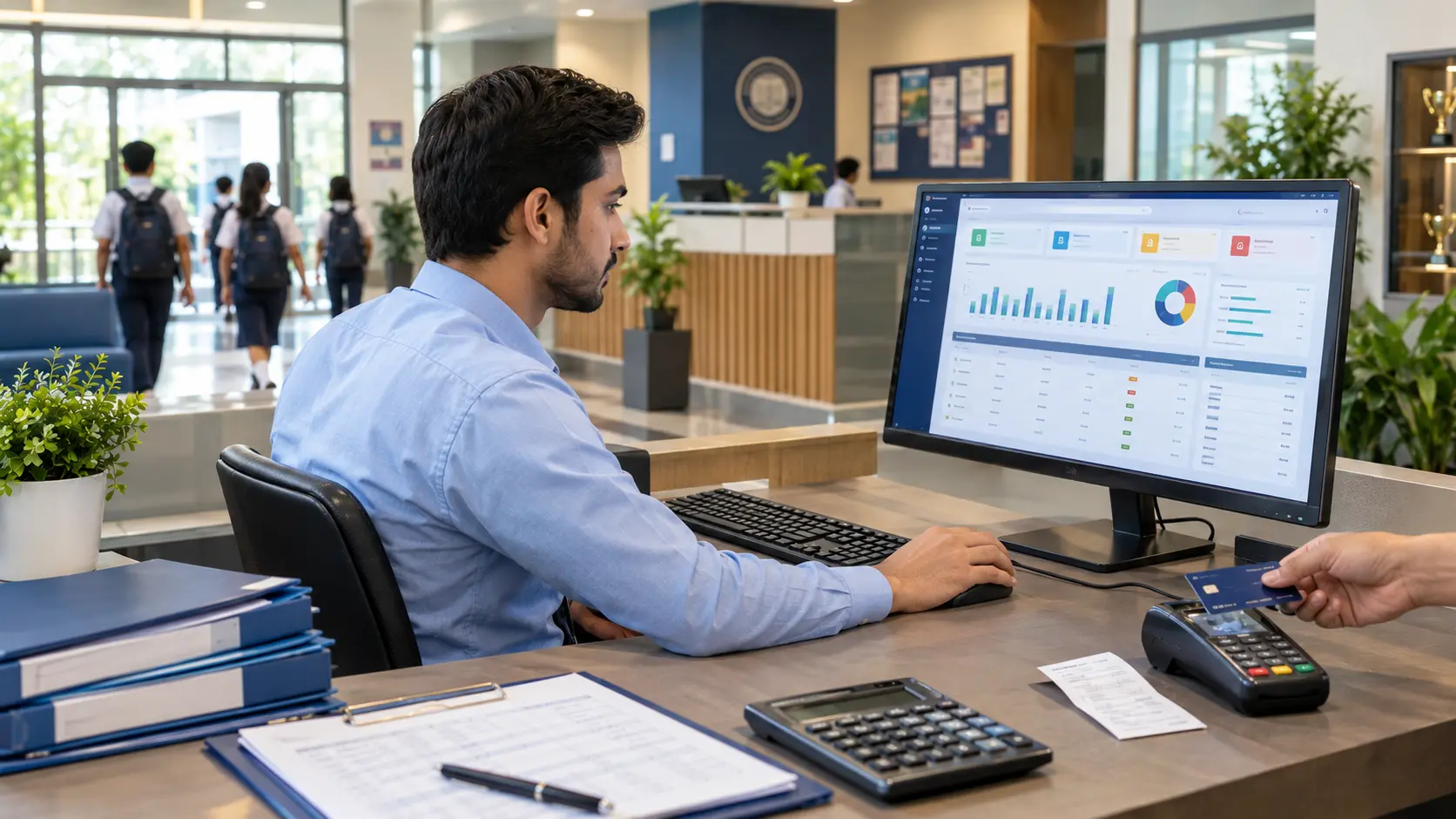
Running a school involves much more than teaching students. School administrators must manage admissions, student records, attendance, fees, examinations, staff, timetables, parent communication, and financial reporting. When these activities rely on paper registers, spreadsheets, and disconnected applications, keeping information accurate and up to date becomes difficult.
School management software helps schools organize these activities through a centralized digital system. It gives administrators better access to school records, helps teachers manage academic tasks, and makes it easier for finance teams to track fees and financial transactions.
However, choosing the right system requires more than comparing feature lists. Schools need to understand how the software works, which features they need, how much it may cost, and what implementation involves.
This guide explains everything schools should know about school management software, from its core features and benefits to pricing, selection, and implementation.
What Is School Management Software?
School management software is a digital platform that helps educational institutions manage administrative, academic, financial, and communication activities from one system.
Instead of maintaining separate records for admissions, attendance, fees, examinations, and student information, schools can use integrated software to organize these processes and make relevant information accessible to authorized users.
For example, an administrator can review a student’s enrollment details, a teacher can record attendance, and a finance officer can check fee payments. Each person works with the information relevant to their responsibilities, according to the system’s access permissions.
The exact capabilities depend on the software a school chooses. Some platforms focus on student records and attendance, while others combine administration, accounting, learning management, transport, library operations, and other functions.
How Does School Management Software Work?
A school management system stores and organizes information in a digital environment. Authorized users access the functions they need through the software’s interface.
A typical workflow may include:
- Register students: Record admission applications, enrollment details, and student information.
- Organize academic activities: Maintain classes, timetables, subjects, and examination schedules.
- Track attendance: Record student and staff attendance according to school procedures.
- Manage fees: Maintain fee structures, invoices, payment records, and outstanding balances.
- Communicate with parents: Share relevant announcements, updates, and student information through available communication channels.
- Generate reports: Review attendance, fee collection, academic performance, and other school activities.
When these functions work together, staff spend less time moving information between separate systems. They can also use organized records to make more informed administrative decisions.
School Management Software vs. School ERP vs. Learning Management System
These terms are related, but they do not always describe the same type of software.
| Software type | Main purpose | Typical functions |
| School management software | Manage daily school operations | Admissions, student records, attendance, fees, examinations |
| School ERP software | Integrate administrative and operational processes | Finance, HR, purchasing, resources, reporting, and school administration |
| Learning management system (LMS) | Support teaching and learning | Courses, assignments, learning materials, assessments, and online learning |
A school ERP often covers a broader range of institutional operations, although many school management platforms also include ERP capabilities.
An LMS primarily supports the learning process. Some school management systems include an LMS, while others integrate with a separate platform.
Schools should compare the actual capabilities of each product rather than relying only on its category or name.
Who Uses School Management Software?
Different members of a school community use the system for different purposes.
- School owners and business leaders: Review operational reports and monitor institutional performance.
- Registrars and admission teams: Manage applications, enrollment, and student records.
- Administrators: Coordinate daily operations, schedules, and staff responsibilities.
- Teachers: Record attendance, manage academic activities, and maintain student assessments.
- Finance teams: Manage fee collection, invoices, accounting records, and financial reports.
- Parents and students: Access relevant updates and academic information through available portals or communication tools.
- IT administrators: Manage user access, system configuration, and integrations where supported.
A well-selected platform helps each group work with consistent information while maintaining appropriate access controls.
Why Do Schools Need School Management Software?
As a school grows, its administrative workload usually becomes more complex. More students mean more records, fee transactions, attendance entries, examinations, and communication.
Managing these activities manually can make routine work slower and increase the risk of inconsistent records.
School management software helps schools address several common challenges.
Reduce Manual Administrative Work
Paper registers and spreadsheets require staff to enter, update, and retrieve information manually. The same details may also be recorded in several places.
A centralized system can reduce duplicate data entry by connecting relevant workflows. For example, staff may be able to access a student’s existing record when handling attendance or fee-related tasks instead of creating another record.
The level of automation depends on the system’s features and configuration.
Keep Student and School Records Organized
Schools handle information about students, guardians, classes, admissions, attendance, examinations, and payments.
A school information management system organizes these records so authorized staff can find the information they need more easily.
Consistent records also support routine tasks such as preparing student lists, reviewing attendance history, checking enrollment details, and generating administrative reports.
Schools should establish clear procedures for updating records and correcting errors to maintain data quality.
Improve Communication Between Schools and Parents
Parents need timely information about school announcements, attendance, examinations, academic progress, and fee-related matters.
When communication depends entirely on paper notices or individual messages, updates can become difficult to coordinate.
School communication software can help schools distribute announcements and share relevant information through supported channels. Parent portals, email, SMS, and mobile notifications may be available depending on the platform.
Clear communication helps parents stay informed and gives school staff a more organized way to share updates.
Make School Performance Easier to Track
School administrators need reliable information to evaluate how the institution is operating.
Reports can help them review fee collection, student attendance, examination results, enrollment, and other important indicators.
Instead of compiling every report manually, administrators can use available reporting tools to retrieve and compare relevant information.
Reports are most useful when the underlying records are accurate and the selected indicators match the school’s objectives.
Key Features of School Management Software
The features available in a school management system determine how well it supports daily operations. Schools should prioritize functions that address their current needs while considering their plans for future growth.
1. Pre-Admission and Enrollment Management
The admission process begins before a student officially joins the school. Staff may need to handle inquiries, applications, document collection, eligibility checks, enrollment decisions, and registration.
A pre-admission and enrollment management system helps organize these activities.
Depending on the platform, it may support:
- Recording prospective student information.
- Tracking admission inquiries and applications.
- Maintaining enrollment status.
- Organizing admission-related records.
- Monitoring the progress of applicants.
- Transferring approved applicants into student records.
An organized admission process helps staff understand which applications need attention and reduces reliance on scattered files.
Schools should check whether a platform supports their specific admission workflow, including online applications and document uploads if required.
2. Student Information and Records Management
A student management system maintains essential information about enrolled students.
Typical records include student names, enrollment details, class assignments, guardian contacts, academic history, and other information required by the school.
A centralized student database can help administrators retrieve records, update details, and maintain consistent information across relevant departments.
When evaluating this feature, schools should look for:
- Flexible student profiles.
- Class and section assignments.
- Guardian and emergency contact details.
- Student status and enrollment history.
- Searchable records and reporting.
- Appropriate permissions for accessing student information.
Schools should also understand how the software handles data retention, record corrections, transfers, and student withdrawals.
3. School Attendance Management
Attendance management helps schools record and review student and staff attendance.
Manual attendance registers can become difficult to maintain when teachers handle several classes or administrators need to consolidate records across departments.
A school attendance management system can help staff maintain attendance records digitally and review attendance patterns.
Depending on the product, attendance functions may include:
- Daily attendance entry.
- Class-wise attendance records.
- Student attendance summaries.
- Staff attendance tracking.
- Absence reports.
- Attendance history and reporting.
Some systems also support automated notifications or biometric integrations. Schools should confirm that these capabilities are available before relying on them.
Accurate attendance records help administrators identify repeated absences and follow up according to school policy.
4. School Fee Management and Invoicing
Fee administration involves more than collecting payments. Schools may need to manage fee structures, student invoices, discounts, payment records, outstanding balances, and financial summaries.
School fee management software helps organize these activities.
Useful functions may include:
- Configurable fee structures.
- Student-wise fee records.
- Invoice and fee challan generation.
- Payment recording and reconciliation.
- Outstanding fee reports.
- Discounts and concessions where supported.
- Fee collection summaries.
For schools in Pakistan, fee challans, installment schedules, and local payment workflows may be particularly relevant. Administrators should verify whether the software supports their preferred payment methods and accounting procedures.
A properly maintained fee management system helps finance teams review collection status and follow up on unpaid balances using consistent records.
5. Financial Accounting and Reporting
Schools must monitor income, expenses, payments, and other financial transactions to understand their financial position.
School accounting software can help organize these transactions and produce financial reports. Some platforms integrate accounting with fee management, while others require a separate accounting application.
Depending on the system, financial functions may include:
- Recording income and expenses.
- Categorizing financial transactions.
- Reviewing fee collection.
- Maintaining payment records.
- Preparing financial summaries.
- Generating accounting reports.
Before selecting a platform, schools should confirm which accounting functions it supports and whether it can meet their reporting and compliance requirements.
They should also determine whether they need full accounting capabilities or only basic financial tracking.
6. Examination Management and Report Cards
Examinations involve several connected activities, including scheduling assessments, recording marks, calculating grades, and preparing report cards.
An examination management system helps schools organize these tasks.
Potential features include:
- Examination schedules.
- Subject-wise marks entry.
- Grade and assessment configuration.
- Result calculation.
- Student performance summaries.
- Report card generation.
- Examination reports.
Schools should check whether the system supports their grading policies, assessment types, and report card formats.
A well-organized examination workflow can make it easier for teachers to maintain results and for administrators to prepare academic records.
7. Academics and Timetable Management
Academic management covers the organization of classes, subjects, teachers, timetables, and academic schedules.
School timetable management software can help administrators plan lessons and coordinate classroom resources.
Relevant functions may include:
- Class and section management.
- Subject allocation.
- Teacher assignments.
- Timetable creation.
- Academic calendar management.
- Schedule updates.
A useful timetable system should reflect the school’s actual scheduling requirements, including teacher availability, class periods, and classroom constraints where supported.
When schedules change, centralized records can help staff access updated information without relying on multiple versions of a timetable.
8. Learning Management System and Content Management
A learning management system supports the delivery and organization of educational content.
Schools may use an LMS to share course materials, provide assignments, organize lessons, and support learning outside the classroom.
Common functions include:
- Digital learning materials.
- Course and subject organization.
- Assignment distribution.
- Learning resource management.
- Online assessments where available.
- Student access to academic content.
Content management tools can also help schools organize educational resources and make relevant materials available to students and teachers.
Schools should determine whether they need a fully featured LMS, basic content-sharing tools, or integration with an existing learning platform.
9. Communication and Parent Engagement
Communication tools help schools share information with parents, students, and staff.
A school communication system may support announcements, reminders, messages, and notifications through different channels.
Useful capabilities include:
- School-wide announcements.
- Class-specific updates.
- Parent communication records.
- Fee and attendance notifications where supported.
- Staff communication.
- Email, SMS, or app-based messaging where available.
A parent portal can provide an additional way for guardians to view relevant information without contacting the school for every update.
Schools should review notification controls, delivery methods, language requirements, and privacy settings before choosing a communication solution.
10. Customer Relationship Management for Schools
A school CRM helps organize relationships with prospective families and other contacts.
It is particularly useful for schools that receive a steady flow of admission inquiries and need to follow up with interested parents.
Depending on the platform, CRM functions may include:
- Recording admission inquiries.
- Maintaining contact information.
- Tracking inquiry status.
- Organizing follow-up activities.
- Reviewing the admission inquiry pipeline.
- Maintaining communication history.
A CRM can help admissions teams identify pending inquiries and coordinate follow-ups. Schools should distinguish these prospect-management functions from the management of enrolled students.
11. Library Management
A school library management system helps staff organize books, library resources, and borrowing activities.
Depending on the software, it may support:
- Book and resource catalogs.
- Book issue and return records.
- Student borrowing history.
- Due-date tracking.
- Overdue book reports.
- Library inventory records.
These functions help librarians maintain more organized records and check the status of library resources.
Schools with large libraries should also evaluate barcode support, catalog search, and integration with student records if those capabilities are important.
12. Transport Management
School transport management software helps schools organize vehicles, routes, and student transport arrangements.
Its usefulness depends on how the school operates its transport service.
Potential features include:
- Vehicle records.
- Route management.
- Student transport assignments.
- Transport fee records.
- Driver and transport staff information.
- Route and transport reports.
Some products also provide GPS tracking, live bus locations, or transport notifications. These are separate capabilities that schools should verify before assuming they are included.
An organized transport system can help administrators maintain route information and coordinate transport responsibilities.
13. Hostel Management
Schools and educational institutions with residential facilities may need to manage hostel rooms, student allocations, and accommodation records.
A hostel management system can support these activities through functions such as:
- Hostel and room records.
- Room allocation.
- Student accommodation details.
- Hostel occupancy reports.
- Hostel fee records where supported.
- Relevant student and guardian information.
Schools should check whether the software supports their room allocation policies, capacity requirements, and residential reporting needs.
14. Reports and Analytics
Reporting tools help administrators convert school records into useful summaries.
A school management reporting system may generate reports on enrollment, attendance, fees, examinations, financial activity, and other operational areas.
Useful reporting capabilities include:
- Student and enrollment reports.
- Attendance summaries.
- Fee collection and outstanding balance reports.
- Examination results.
- Financial summaries.
- Operational performance reports.
Analytics becomes more valuable when schools use consistent records and select indicators that answer specific management questions.
For example, an administrator might review attendance trends to identify classes with repeated absences or compare fee collection reports across different periods.
Schools should confirm which reports are available, whether they can customize them, and whether data can be exported for further analysis.
Benefits of School Management Software
The value of school management software depends on how well its functions match the institution’s needs. When implemented properly, it can improve the organization of administrative work and provide staff with more consistent information.
Benefits for School Owners and Administrators
School owners and administrators need visibility into daily operations without reviewing every record manually.
A centralized system can help them:
- Review school performance through available reports.
- Coordinate admission and administrative workflows.
- Monitor attendance and fee collection.
- Maintain more consistent records.
- Identify operational issues that require attention.
These capabilities support better decision-making, although the quality of decisions still depends on accurate data and appropriate management practices.
Benefits for Teachers
Teachers often handle attendance, assessments, timetables, and student progress records.
A school management system can help them maintain these records in one place and reduce repetitive administrative work.
Depending on the software, teachers may also access class lists, record marks, share learning materials, and review relevant student information.
The aim is to make routine academic tasks more organized without adding unnecessary work to teachers’ schedules.
Benefits for Students and Parents
Students and parents benefit when schools provide clear, consistent information.
Depending on the platform, they may be able to access attendance records, examination results, fee information, announcements, and academic resources.
This can reduce uncertainty about school activities and help parents stay informed about their children’s progress.
The experience depends on which portal and communication features the school enables.
Benefits for Finance Teams
Finance teams manage transactions that require careful recordkeeping and regular review.
Integrated fee and accounting functions can help them organize invoices, record payments, review outstanding balances, and prepare financial reports.
Schools should still establish appropriate approval procedures, reconciliation practices, and access permissions to maintain reliable financial records.
Types of School Management Software
School management platforms differ in their deployment models and the functions they provide.
Cloud-Based School Management Software
Cloud-based school management software runs on infrastructure managed by the software provider or its hosting partners. Users generally access it through an internet connection and supported devices.
Potential advantages include:
- Access from different locations.
- Centralized updates and maintenance.
- Easier coordination between authorized users.
- Reduced need to maintain local server infrastructure.
Schools should review internet requirements, backup arrangements, service availability, data hosting, and security practices before choosing a cloud solution.
On-Premises School Management Software
On-premises software runs on infrastructure maintained by the school or its chosen IT provider.
This approach may suit institutions that require greater control over their hosting environment or need to meet particular technical requirements.
However, the school may be responsible for server maintenance, updates, backups, and infrastructure security.
The right choice depends on available IT resources, budget, operational needs, and data policies.
Integrated School Management Systems vs. Separate Tools
Some schools use separate applications for attendance, fees, accounting, learning, and communication.
Others prefer an integrated school management system that brings several functions together.
Separate tools may offer specialized capabilities, but they can also create disconnected records and additional integration work.
An integrated platform can simplify information sharing when its modules work together effectively. However, schools should confirm that its individual features meet their requirements rather than assuming every integrated product is equally comprehensive.
Software for Single-Campus and Multi-Campus Schools
A single-campus school may need straightforward student, attendance, fee, and academic management.
A group operating several campuses may require additional functions for centralized reporting, campus-specific permissions, shared records, and organization-wide oversight.
Multi-campus capabilities are particularly important when school leaders need to compare performance while allowing individual campuses to manage their daily operations.
How to Choose the Best School Management Software
Choosing the best school management software starts with understanding how the school operates. A long feature list does not automatically make a product the right choice.
Use the following steps to compare your options.
1. Identify Your School’s Requirements
Start by listing the administrative and academic processes you want to manage.
Consider whether you need:
- Admission and enrollment management.
- Student records and attendance.
- Fee collection and financial accounting.
- Examination and timetable management.
- Parent communication.
- Library, transport, or hostel management.
- Reporting and multi-campus oversight.
Separate essential features from optional ones. This helps you avoid paying for functions your school does not need.
2. Compare Features and Ease of Use
Ask vendors to demonstrate how their software handles your actual workflows.
For example, ask how a new student is registered, how a fee payment is recorded, how attendance is reviewed, and how examination results are prepared.
A practical demonstration reveals more than a list of advertised features.
Also consider whether teachers and administrative staff can learn the system without extensive technical knowledge.
3. Check Data Security and Access Controls
School records can contain sensitive information about students, parents, staff, and finances.
Review how the software manages:
- User roles and permissions.
- Authentication and account security.
- Data backups and recovery.
- Data storage and retention.
- Access to student and financial records.
- Security updates and incident handling.
Ask the provider to explain its security practices and relevant compliance responsibilities. Do not assume a product is secure simply because it is cloud-based.
4. Review Integrations and Reporting
Schools may already use accounting tools, payment providers, communication platforms, or learning applications.
Check whether the proposed software integrates with the systems you need to retain.
Review its reporting features as well. Determine whether you can generate the required reports, filter records, export data, and maintain a useful history.
5. Evaluate Customer Support and Training
Even a suitable system can be difficult to adopt without appropriate guidance.
Ask the provider about onboarding, staff training, technical support, documentation, and issue resolution.
If the school operates in Pakistan or another market with specific local requirements, confirm that support is available in suitable working hours and that the software fits the school’s operational and financial processes.
6. Request a Demo Before Making a Decision
A product demonstration gives decision-makers an opportunity to test important workflows and ask detailed questions.
Before the demo, prepare a list of scenarios covering admissions, attendance, fees, examinations, reporting, and any other essential functions.
Ask the provider to demonstrate these processes using realistic examples.
Where possible, involve administrators, teachers, and finance staff in the evaluation. Their feedback can reveal practical requirements that management might otherwise overlook.
How Much Does School Management Software Cost?
School management software pricing varies by provider, deployment model, feature set, and the size of the institution.
Some providers charge a recurring subscription, while others use per-student pricing, campus-based plans, one-time licensing, or customized enterprise arrangements.
A meaningful comparison should consider the total cost of using the system, not just the advertised subscription price.
Factors That Affect Software Pricing
Several factors can influence the price:
- Number of students: Larger student populations may require different pricing tiers or infrastructure.
- Number of campuses: Multi-campus operations may need additional administration and reporting capabilities.
- Available modules: Advanced accounting, learning, transport, or other modules may affect the overall cost.
- User accounts: Pricing may depend on the number or type of users.
- Integrations: Third-party services or custom integrations may involve additional charges.
- Data migration: Transferring existing records may require extra preparation or professional assistance.
- Support and training: Onboarding, staff training, and ongoing support may be included or billed separately.
Subscription, Setup, and Training Costs
Before committing to a system, ask the provider for a breakdown of all expected charges.
Clarify whether the quoted price includes implementation, data migration, training, technical support, backups, updates, and required integrations.
Schools should also understand renewal terms, payment frequency, contract duration, and any charges associated with exporting their data if they later change providers.
How to Evaluate the Total Cost of Ownership
The lowest subscription price may not represent the lowest overall cost.
A system that requires extensive manual work, multiple add-ons, or significant customization can create additional expenses.
Compare the expected cost against practical considerations such as administrative time, staff training, record accuracy, and the ability to manage routine operations efficiently.
Use actual vendor quotations and the school’s requirements to make the final decision.
How to Implement School Management Software
Successful implementation requires preparation, staff involvement, and a clear plan. Moving school records into a new system without reviewing existing processes can create confusion and inaccurate information.
1. Review Existing School Processes
Document how the school currently manages admissions, student records, attendance, fees, examinations, and communication.
Identify repeated tasks, common errors, and areas where staff struggle to retrieve information.
Use these findings to determine how the new system should be configured.
2. Organize and Migrate School Data
Before migrating data, review existing records for missing fields, duplicate entries, inconsistent formats, and outdated information.
Prepare a clean dataset and confirm which records need to be transferred.
After migration, verify important records such as student details, guardian contacts, fee balances, and academic history. Protect access to the original files throughout the process.
3. Configure Roles and Permissions
Not every employee needs access to every record.
Set up user roles according to responsibilities. For example, teachers may need academic and attendance access, while finance staff may need access to fee and accounting records.
Review permissions before launch and establish procedures for updating access when employees change roles or leave the institution.
4. Train Staff and Test Workflows
Provide practical training for the people who will use the system.
Test common tasks such as registering a student, recording attendance, creating a fee invoice, entering examination results, and generating reports.
Resolve configuration issues before relying on the system for daily operations.
5. Launch the System and Monitor Results
Choose a rollout approach that matches the school’s size and readiness. Some schools may introduce the system across departments at once, while others may begin with selected workflows.
Monitor staff feedback, data accuracy, system usability, and unresolved issues during the initial period.
Review whether the system is meeting the objectives defined at the beginning of the project, and adjust training or configuration where necessary.
Common Challenges When Adopting School Management Software
Understanding potential implementation problems helps schools prepare realistic solutions.
Staff Resistance to New Systems
Employees who are comfortable with existing procedures may hesitate to adopt new software.
Explain the reasons for the change, involve staff in the evaluation, and provide practical training. Demonstrating how the system addresses real administrative problems can make adoption easier.
Incomplete or Inconsistent Data
Old spreadsheets and paper records may contain missing information, duplicate entries, or conflicting details.
Review and clean records before migration. Assign responsibility for checking the data and correcting errors after the transfer.
Training and Change Management
A single training session may not be sufficient for every user.
Provide role-specific instructions and allow staff to practice the tasks they perform regularly. Make documentation and support available when questions arise.
Protecting Student Information
Digital records require appropriate security controls and responsible handling.
Use suitable permissions, secure authentication, backup procedures, and clear policies for accessing and sharing student information. Review the provider’s security arrangements and follow applicable privacy and data protection requirements.
How to Get Started With Edcore
Edcore brings together a range of school management capabilities, including pre-admission and enrollment, student management, attendance, fees and invoicing, financial accounting, examinations, academics and timetables, learning management, communication, reporting, library management, transport, and hostel management.
For schools looking to organize multiple administrative and academic workflows, the next step is to identify which functions matter most to their institution and evaluate how Edcore supports those requirements.
Review the available features, discuss your school’s workflows with the Edcore team, and request a product demonstration to understand how the system may fit your operational needs.
The right school management system should help your staff maintain organized records, coordinate daily work, and make informed decisions as your institution grows..
Frequently Asked Questions About School Management Software
What Is the Main Purpose of School Management Software?
The main purpose of school management software is to organize a school’s administrative, academic, financial, and communication activities. It helps staff maintain records, coordinate workflows, and access relevant information through a centralized system.
What Features Should a School Management System Have?
Essential features depend on the school’s needs. Common requirements include admissions, student records, attendance, fee management, examinations, timetables, communication, and reporting. Schools may also need accounting, learning management, library, transport, or hostel functions.
Is School Management Software Suitable for Small Schools?
Yes. Small schools can use school management software to organize student records, attendance, fees, and academic activities. The best option is one that fits the school’s budget, staff capacity, and operational requirements without unnecessary complexity.
Can School Management Software Manage Fees and Attendance?
Many school management systems support both fee management and attendance tracking. However, available functions differ between providers. Schools should confirm that the system supports their fee structures, payment workflows, attendance policies, and reporting requirements.
Is Cloud-Based School Management Software Secure?
Cloud-based software can provide appropriate security when the provider implements suitable controls, including access permissions, secure authentication, backups, and regular maintenance. Schools should review the provider’s actual security practices rather than assuming every cloud platform offers the same level of protection.
How Long Does School Management Software Implementation Take?
Implementation time depends on the school’s size, data quality, required modules, integrations, staff training, and customization needs. A school with clean records and straightforward requirements may be able to implement the system more quickly than a large institution migrating complex records across multiple campuses.
Ask the provider for a realistic implementation plan based on your school’s requirements.
What Is the Difference Between School Management Software and a Student Information System?
A student information system primarily focuses on student records, enrollment, and related information. School management software may include those functions alongside fees, attendance, examinations, communication, accounting, and other administrative operations. The exact scope varies by product.
How Can Schools Choose Between Different School Management Systems?
Schools should compare the systems against a defined checklist of required features, ease of use, security, reporting, integrations, implementation support, and total cost. Product demonstrations and feedback from the people who will use the software help decision-makers assess which solution fits their needs.